
By Duncan Ritchie
24-September-2024 on Tips
17 minute readYou really don’t need much to get up and running in the world of video analysis. In fact, a decent computer with Nacsport installed is pretty much all you need to breaking down pre-recorded videos and discover insights into the game.
But, as with everything, once you start seeing how video analysis can help improve your team’s performance, you’ll want to go deeper. And when you go deeper, you’ll need more equipment.
So, let’s check out some of the gear you might want to invest in as you continue your career.
Let’s start with the most obvious...

As stated in the intro to this blog, a decent computer is all you really need to get started with video analysis.
But how do we define decent?
Well, in order to run Nacsport, your computer must meet certain requirements. And these requirements will depend on whether you are planning to do live analysis or not.
Click here for a full breakdown of the minimum and recommended requirements for running Nacsport on both Windows and Mac.
Also, we’ve prepared this ebook full of computers that have been tested with Nacsport.

Of course, you don’t need a camera if you have another video source, such as a television feed or an online data provider. But the majority of our users film the game themselves and, thus, need a camera.
There are various types of camera available to you, depending on your needs.
The first of these will be your standard video cameras which can be bought from any electronics retailer. You’ll want these to record in as high a resolution as possible, either in HD or 4K. This will ensure clear detailed footage.
You might also consider investing in an action camera, such as the GoPro. These are great for filming game footage from various angles.
Lastly, we have IP cameras, aka network cameras. These connect to a wireless network through which they can record or be controlled.
There are various types of IP camera too, such 360º cameras which provide a full view of the field of play or PTZ (Pan-Tilt-Zoom) cameras which give you remote control over what you’re filming.
Check out this article for more information.

If you are using a video camera or action camera for live analysis, you’ll need a capture device. This is a small box which connects between the camera and computer and allows you to stream video directly to the computer.
RTSP / RTMP encoders, such as those provided by AnalysisPro, can also be used to capture live footage.
As we said, these are particularly useful for live analysis and you can check out a selection of devices which have been tested and confirmed to work perfectly with Nacsport here.

Sticking with the theme of cameras, you’ll also need something on which to mount the camera so that footage is stable and clear. Examples of camera mountings include:

Drones are becoming ever more popular in the world of sports video analysis.
For outdoor sports, drones provide a unique overhead view, ideal for tactical analysis of team formations and strategies.
Check out our recommendations for drones in this article.

Nacsport has a couple of great apps that can help improve your real-time analysis workflows.
Nacsport Tag&view. This app, available for iOS, allows you to tag a game using your iPhone or iPad and sync the tags with Nacsport. This is especially useful for live joint analysis, where you have several analysts tagging different aspects of the game at the same time.
Nacsport Live. This app, available for both Android and iOS, can be used to live stream game footage and tagged data directly from Nacsport Desktop. A lightweight solution for keeping the analyst in direct contact with the bench and for making a direct impact on the game.

If you are planning to conduct a live analysis and use tools such as the Nacsport Live app to communicate directly with the bench, you’re going to need a wireless network. And to create a wireless network, you’re going to need either an antenna or router.
Check out this ebook which contains information on different wireless setups for using Nacsport Live.

Once the dust has settled and the analysis is done, you’ll want a way to share the results with your colleagues and teammates. You need an easy method of disseminating video and data…and we’ve got the perfect solution for you - Nacsport Hub.
Hub is our online platform, built specifically for storing and sharing your analysis directly with your team.
Upload your analysis work to the platform and share clips on the Team Channel, your very own private social network.
But not only that, you can also create tagging windows in the platform and analyse directly in the cloud.
And last but not least, upload and share live video clips and game data with anyone anywhere in the world.
An essential communication solution for all analysts. Click here for more info.

Although we’re getting to the edges of Sports Video Analysis and creeping up into the territory of Sports Science, GPS trackers can add a whole new level to your analysis work.
You can get a wealth of data on individual players such as distance travelled and fitness levels which can lead to pinpointing tactical errors and injury prevention.
These wearables come in all shapes and sizes from wrist mounted trackers to ones that are sewn into an athlete’s customised shirts.
There are plenty of other useful gadgets you can spend your hard earned cash on, let’s have a quick round up of a few more bits and pieces. All the products linked to below are only suggestions and Nacsport is not affiliated with them in any way. Shop around for the best deals.
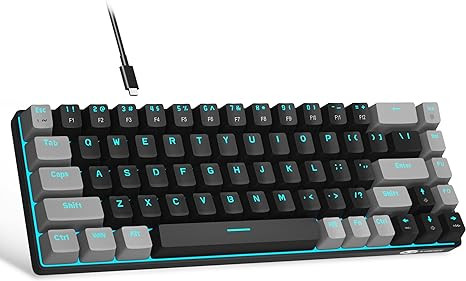
How about a mechanical keyboard? Great for tagging a game using keyboard shortcuts.
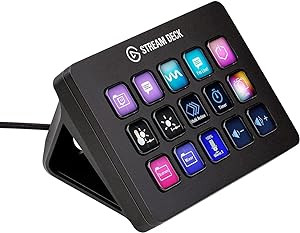
Many people swear by the Stream Deck for quick and effective video editing. Have you tried it?
A waterproof and glare proof cover for your laptop could always come in handy, especial in countries with less than clement weather.

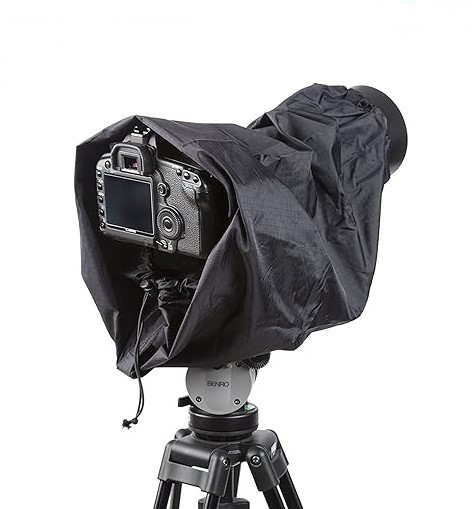
In a similar vein, waterproof rain covers for cameras are always useful too.
We also recommend a good waterproof backpack for carrying your gear around in. Of course, the one you choose will depend on how light you travel.

Listen, there are plenty more things you can buy to aid you on your video analysis journey, we’re just scratching the surface here.
Maybe you need everything on this list or, as we said at the beginning, maybe you can get away with just a laptop with Nacsport installed. It all depends on your needs.
The best way to know what gear you need is to get out there and start analysing. You’ll soon discover what you need to help you in your work. Also, do some networking. Talk to other analysts and see what gear they use. And, of course, pass on your knowledge to others.
If you’ve got a piece of gear that you feel is indispensable, or, at the least, extremely useful, get in contact with us through our website or any of our social media channels. We’ll add your suggestion to the list.
In the meantime, if you’re not yet a Nacsport user and would like to try it out, we offer a FREE 30-day trial of any software in our range. Click here to get started.
For more information about Nacsport or anything you’ve read in this article, don’t hesitate to get in contact with us.
Until then…
Thanks for reading.
Subscribe to our newsletter and receive a monthly compilation of articles, interviews and Nacsport tips for video analysis.
Once a month, we'll send a compendium of our best articles, interview and advice, straight to your inbox. Enjoy!
Subscribe to our newsletter and receive a monthly compilation of articles, interviews and Nacsport tips for video analysis.
Once a month, we'll send a compendium of our best articles, interview and advice, straight to your inbox. Enjoy!

Subscribe to our newsletter and receive a monthly compilation of articles, interviews and Nacsport tips for video analysis.
Once a month, we'll send a compendium of our best articles, interview and advice, straight to your inbox. Enjoy!


nacsport team
Cookie Consent Manager
Always active
Necessary cookies are required to enable the basic features of this site, such as providing secure log-in or adjusting your consent preferences. These cookies do not store any personally identifiable data.
Name |
Domain |
Duration |
PHPSESSID |
www.nacsport.com |
Session |
|
Cookie generated by applications based on the PHP language. This is a general purpose identifier used to maintain user session variables. It is normally a random generated number, how it is used can be specific to the site, but a good example is maintaining a logged-in status for a user between pages. |
||
language |
www.nacsport.com |
a year |
|
This cookie keeps track of the chosen language. It is automatically removed when you turn off your web browser. |
||
Preference cookies are used to remember information that customises how a website looks or behaves for each user. This may include storing the user’s preferred language, region, currency, or color theme.
Name |
Domain |
Duration |
currency |
www.nacsport.com |
a year |
|
This cookie tracks the selected currency. It is automatically deleted when you close your web browser. |
||
Analytical cookies are used to understand how visitors interact with the website. These cookies help provide information on metrics such as the number of visitors, bounce rate, traffic source, etc.
Name |
Domain |
Duration |
_gid |
.nacsport.com |
a day |
|
Contains a unique identifier used by Google Analytics to determine that two distinct hits belong to the same user across browsing sessions. |
||
_gat_* |
.nacsport.com |
a minute |
|
Google Analytics Tracking, includes Google Universal Analytics Tracking-ID. |
||
_ga |
.nacsport.com |
a year |
|
Contains a unique identifier used by Google Analytics to determine that two distinct hits belong to the same user across browsing sessions. |
||
_ga_* |
.nacsport.com |
a year |
|
Contains a unique identifier used by Google Analytics to determine that two distinct hits belong to the same user across browsing sessions. |
||
Performance cookies are used to understand and analyse the key performance indexes of the website which helps in delivering a better user experience for the visitors.
No cookies to display |
Advertisement cookies are used to provide visitors with customised advertisements based on the pages you visited previously and to analyse the effectiveness of the ad campaigns.
Name |
Domain |
Duration |
_fbp |
.nacsport.com |
3 months |
lastExternalReferrerTime |
- |
Persistent |
|
Detects how the user reached the website by registering their last URL-address. |
||
lastExternalReferrer |
- |
Persistent |
|
Detects how the user reached the website by registering their last URL-address. |
||
Other uncategorised cookies are those that are being analysed and have not been classified into a category as yet.
Name |
Domain |
Duration |
visited |
www.nacsport.com |
a year |
|
- |
||
country |
www.nacsport.com |
a year |
|
- |
||
src |
www.nacsport.com |
a year |
|
- |
||
webpSupport |
- |
Session |
|
- |
||

