
By Enrico Caballero
17-December-2019 on News
13 minute readTime to talk you through all the new features contained in our third big update of 2019 - and with the launch of Nacsport 5.0 we’re going granular!
After the huge success of our last update back in the summer, when we introduced new features to facilitate the growing importance of real-time analysis, as well as improved communications between analysts and coaches, our developers have been back in the lab and hard at work.
This time we asked them to find new ways of extracting even greater meaning from your data and to make it easier for analysts to collaborate - even when they’re not physically in the same place.
Regardless of the sport you’re in, one thing every analyst can agree on is that there’s only so much information you can generate in a single game. So rather than make more work for you, our emphasis has been to let the software do more of the heavy lifting, by adding greater value to your analysis.
Enough fluff, let’s dive straight in and take a look under the bonnet.
(Available in: Pro Plus and Elite)
Developed in close collaboration with - and tested by - leading coaches, our new Player Connections feature is perfectly suited to sports where players rotate throughout a game - like basketball, hockey or futsal.
In keeping with our ambition for this update, to deliver more meaning without more work, Player Connections collects and aggregates data based on the different combinations of active athletes used throughout a game.
Simply set the number of players to include and Nacsport will automatically create a new grouping for each combination used throughout a game, aggregating their combined data.
Subgroups within a team are only available in Nacsport Elite.
In more traditional sports, where most players partake for an entire match, the feature makes it easy to spot where the ‘chemistry’ exists, how different players compliment overall team performance or bring out the best in teammates.
This tool will be available in all professional Nacsport products, from Scout Plus to Elite but different features will be available in different versions. To explain what this all means to you, we’ve written another post discussing Enhanced Graphic Descriptors, which you can read here.
Another clear example of Nacsport software working harder so you don’t have to is our brand new X & Y Heatmaps feature within the Enhanced Graphic Descriptor.
Use it to highlight key areas of your pitch or court to use as descriptors in your analysis, building up a dynamic heatmap of exactly what happened and where.
X & Y features allows you to track the course of a move, follow the direction of play or identify those areas your team can exploit or double down on their defending.
Results can be exported as a standalone image, incorporated into your Nacsport presentations or shipped over to KlipDraw for further editing.
Analyze and code live-streamed games from anywhere.
Until now, Nacsport analysts have only been able to code games live, via direct streams from cameras nearby or pre-recorded video.
Nacsport 5.0 changes all that, with a brand new streaming service that allows you to watch - and tag - games live and in real-time from sites like YouTube, Facebook, Twitter, Vimeo, DailyMotion, Twitch and Mixer.
No need to establish a private network or connection with your source. If it’s on the web simply cut and paste the URL into your Nacsport timeline to stream and tag as usual.
A practical new feature we’ve introduced to make life easier for the many schools, colleges and academies running multiple Nacsport accounts.
Password disable allows different users to work on the same machines and keep their work secure - by actively disabling Nacsport licenses and preventing them being used by another person.
Using text overlays is a useful way to add personal observations to your presentations.
But until now adding text to your analysis was only possible after the match.
Completely customizable, our new Text Overlays feature changes all that, making it easy to insert key points or notes while you’re coding the game.
Infinite customization means your Nacsport timeline in any color you like - and we really do mean any color you like.

Use the familiar ‘Mosaic’-style color picker or highlight any image on your screen (to grab its color code) then simply paste into your timeline for your own unique color scheme.
We’ve increased the number of available colors in the Nacsport palette to an almost infinite number, giving you the freedom to be more creative in graphic panels.
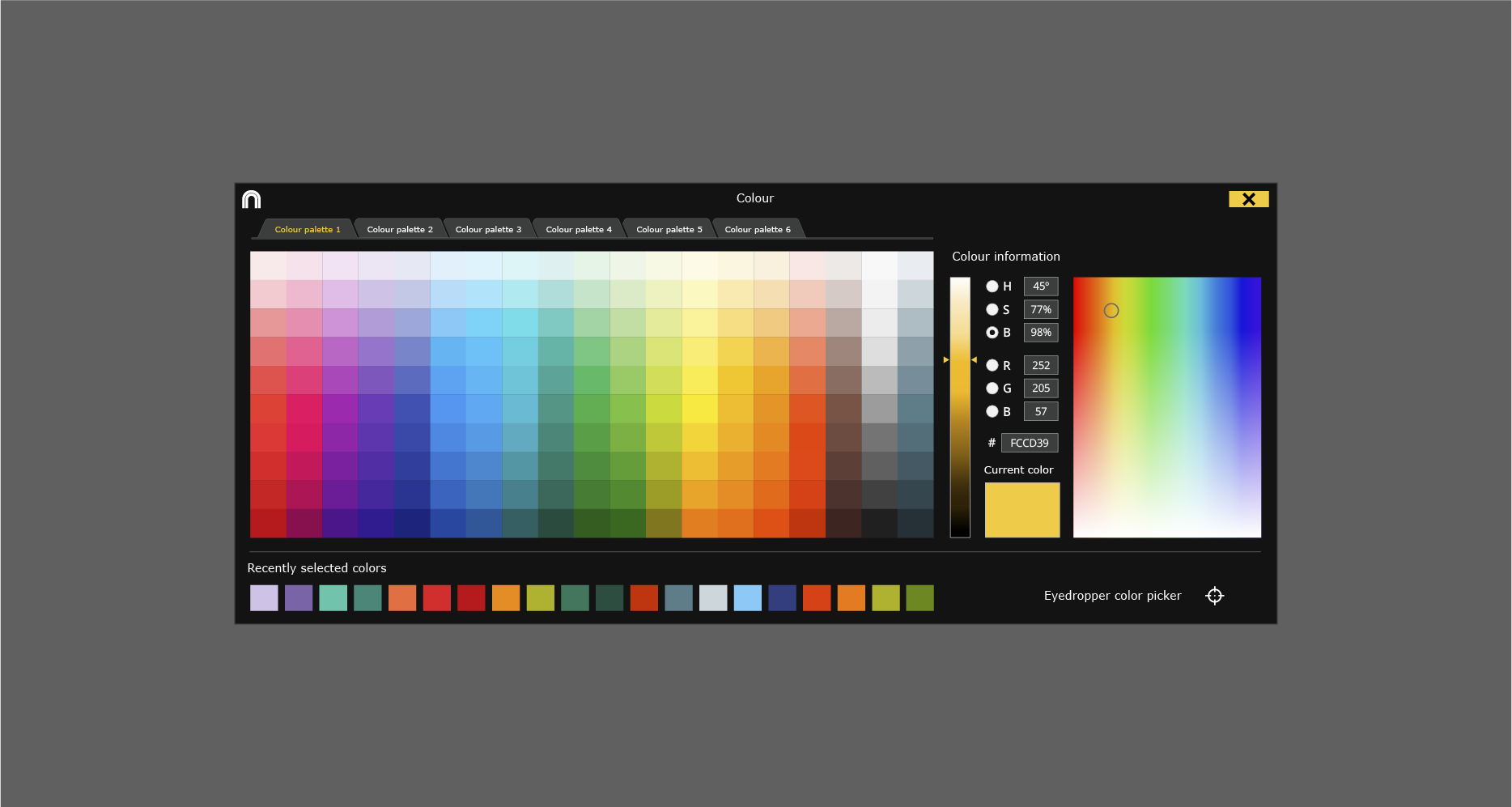
Two color options, the classic, predefined shade mosaic and the ‘option dropper’, which gives you the freedom to copy the color of almost anything and paste it into your panel.
Choose from one of up to 4 different angles to set as your preferred default view through an entire presentation.
You’ll still be able to switch between angles to highlight important passages of play, this new feature allows users to choose a default view for the duration of a presentation or mp4 file.
Just as the name suggests, with Nacsport 5.0 it’s now possible to review play-by-play clips based on the categories created.
Whether you’re tagging live or analyzing an earlier recording, a simple double-click now makes it easier than ever to add notes or comments to your reports.
Imagine being able to work with colleagues, on a single report that intelligently compiles your observations into one, easy to read timeline - automatically generating one unified presentation from your combined work.
Nacsport’s new Real-Time Joint Analysis allows up to 4 analysts to collaborate on the same report - especially useful for monitoring individual players, sections of your team or different sections of the playing area.
A new way to present collected data within your Nacsport timeline, by compiling and presenting the granular detail within your analysis.
Our developers began calling this new feature ‘Free Information’ during their work - and for good reason.
The new Auto-sum Descriptors tool uses data recorded during a game, automatically collating it by ‘descriptor’ value, to create a new layer of information that might just make the difference between winning and losing.
* Users must have a current Nacsport Technical Support and Update Service contract to receive the update.
To download and install the update you only have to follow these instructions:
- Click on the "Download" button to start the process
- Click on the "Help" button in the main menu
- Click on the "Check for updates" button in the main menu
- Click the "Download" button in the new window that appears
If you are facing any problems during the installation process or after updating, please contact us by mailing support@nacsport.com.
If you’re not already using Nacsport - and you like what you’ve read - why not give us a try?
We offer a FREE 30 day trial of all our products and we’d love you to take one for a ‘test drive’. Click here to find out more.
Subscribe to our newsletter and receive a monthly compilation of articles, interviews and Nacsport tips for video analysis.
Once a month, we'll send a compendium of our best articles, interview and advice, straight to your inbox. Enjoy!
Subscribe to our newsletter and receive a monthly compilation of articles, interviews and Nacsport tips for video analysis.
Once a month, we'll send a compendium of our best articles, interview and advice, straight to your inbox. Enjoy!

Subscribe to our newsletter and receive a monthly compilation of articles, interviews and Nacsport tips for video analysis.
Once a month, we'll send a compendium of our best articles, interview and advice, straight to your inbox. Enjoy!


nacsport team
Cookie Consent Manager
Always active
Necessary cookies are required to enable the basic features of this site, such as providing secure log-in or adjusting your consent preferences. These cookies do not store any personally identifiable data.
Name |
Domain |
Duration |
PHPSESSID |
www.nacsport.com |
Session |
|
Cookie generated by applications based on the PHP language. This is a general purpose identifier used to maintain user session variables. It is normally a random generated number, how it is used can be specific to the site, but a good example is maintaining a logged-in status for a user between pages. |
||
language |
www.nacsport.com |
a year |
|
This cookie keeps track of the chosen language. It is automatically removed when you turn off your web browser. |
||
Preference cookies are used to remember information that customizes how a website looks or behaves for each user. This may include storing the user’s preferred language, region, currency, or color theme.
Name |
Domain |
Duration |
currency |
www.nacsport.com |
a year |
|
This cookie tracks the selected currency. It is automatically deleted when you close your web browser. |
||
Analytical cookies are used to understand how visitors interact with the website. These cookies help provide information on metrics such as the number of visitors, bounce rate, traffic source, etc.
Name |
Domain |
Duration |
_gid |
.nacsport.com |
a day |
|
Contains a unique identifier used by Google Analytics to determine that two distinct hits belong to the same user across browsing sessions. |
||
_gat_* |
.nacsport.com |
a minute |
|
Google Analytics Tracking, includes Google Universal Analytics Tracking-ID. |
||
_ga |
.nacsport.com |
a year |
|
Contains a unique identifier used by Google Analytics to determine that two distinct hits belong to the same user across browsing sessions. |
||
_ga_* |
.nacsport.com |
a year |
|
Contains a unique identifier used by Google Analytics to determine that two distinct hits belong to the same user across browsing sessions. |
||
Performance cookies are used to understand and analyse the key performance indexes of the website which helps in delivering a better user experience for the visitors.
No cookies to display |
Advertisement cookies are used to provide visitors with customized advertisements based on the pages you visited previously and to analyse the effectiveness of the ad campaigns.
Name |
Domain |
Duration |
_fbp |
.nacsport.com |
3 months |
lastExternalReferrerTime |
- |
Persistent |
|
Detects how the user reached the website by registering their last URL-address. |
||
lastExternalReferrer |
- |
Persistent |
|
Detects how the user reached the website by registering their last URL-address. |
||
Other uncategorised cookies are those that are being analysed and have not been classified into a category as yet.
Name |
Domain |
Duration |
visited |
www.nacsport.com |
a year |
|
- |
||
country |
www.nacsport.com |
a year |
|
- |
||
src |
www.nacsport.com |
a year |
|
- |
||
webpSupport |
- |
Session |
|
- |
||

